Let me ask you something.
You wake up Monday morning. You have a to-do list. Maybe it is a long one. You feel ready.
But by Wednesday, you are behind. Friday comes and half the list is untouched.
Sound familiar? You are not lazy. You are not bad at your job. You just have a broken planning system.
That is where AI time blocking changes everything.
This is not about another app or another tip. This is about using artificial intelligence to finally build a weekly plan that actually works for how your brain and life operate.
Keep reading. This might be the most useful thing you read this week.
Table of Contents
What Is AI Time Blocking?
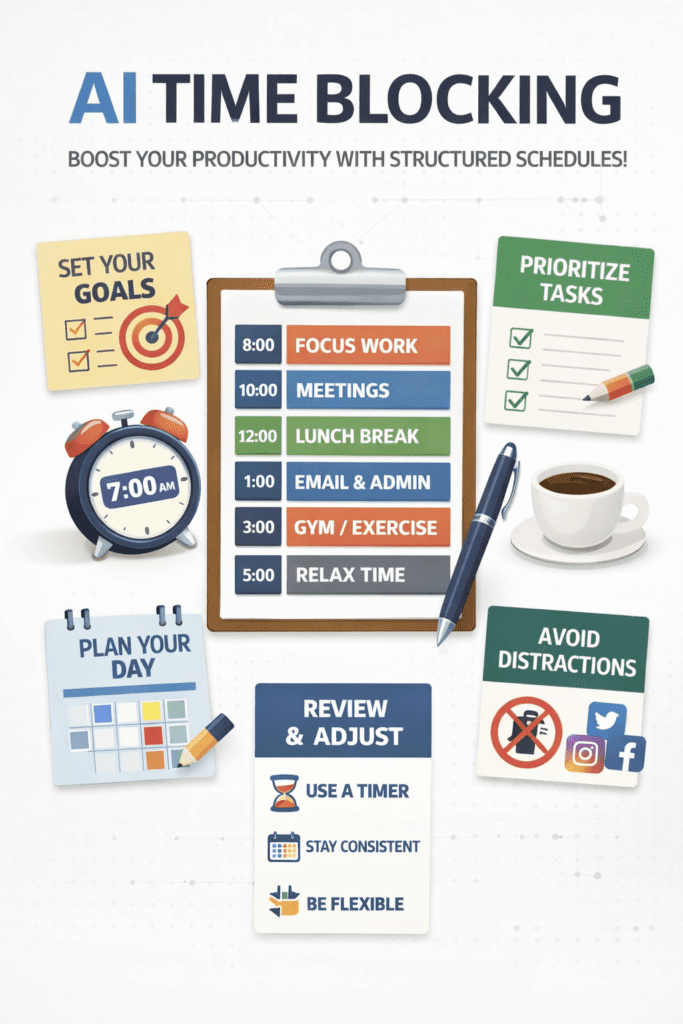
Time blocking is a planning method where you divide your day into blocks of time. Each block has one task or one type of task.
Instead of a random to-do list, you assign every task a specific time in your calendar.
AI time blocking takes this one step further.
It uses artificial intelligence to automatically suggest, organize, and optimize those time blocks based on your habits, energy levels, deadlines, and priorities.
Think of it like having a smart assistant that knows your schedule better than you do and builds your week for you automatically.
AI time blocking = Traditional time blocking + Intelligence + Automation
That is the simple version. Now let us go deeper.
Why Traditional Planning Always Fails (And It Is Not Your Fault)
Most people plan their week using one of these three methods.
- A sticky note or random list
- A basic calendar with some events
- A to-do app where tasks pile up forever
The problem with all three is simple. They do not account for reality.
Reality means you get interrupted. Meetings run long. You get tired in the afternoon. Some tasks take twice as long as expected.
Old planning systems are static. They do not adapt.
AI-powered time blocking is dynamic. It learns. It adjusts. It responds.
This is why millions of professionals are now switching to AI time blocking tools in 2026. It is not a trend. It is a smarter way to work.
How AI Time Blocking Actually Works (Step by Step)
Here is the exact process that most AI time blocking tools use. Once you understand this, you will never go back to manual planning.
Step 1: You Add Your Tasks and Goals
You enter your tasks, meetings, deadlines, and personal goals into the tool.
Some tools connect directly to your calendar, email, or project management app. Others let you type tasks in manually.
Either way, the AI now sees your full workload for the week.
Step 2: The AI Analyzes Your Patterns
This is where it gets interesting.
The AI looks at your past behavior. When do you usually do your best deep work? When do you tend to get distracted? What time do you prefer meetings?
Over time, the more you use it, the smarter it gets about your specific habits and energy patterns.
Step 3: It Builds Your Weekly Schedule Automatically
Based on your tasks, priorities, and patterns, the AI creates a full schedule for your week.
It places high-focus tasks during your peak energy hours. It groups similar tasks together. It leaves buffer time between meetings.
You do not have to figure this out. The AI does it for you.
Step 4: It Adjusts When Things Change
A meeting gets canceled. A new urgent task comes in. You fall behind on a project.
The AI automatically reschedules. It moves blocks around, reprioritizes tasks, and keeps your week organized even when real life gets messy.
Step 5: You Review and Approve
You are still in control. You look at the suggested schedule, make any tweaks you want, and confirm.
Most people spend just 5 to 10 minutes reviewing their AI-generated plan each week.
Compare that to 45 minutes to an hour most people spend manually planning. That time saving alone is worth it.
Ready to try AI time blocking? Start with the tools mentioned later in this post. Free options are available right now.
The Real Benefits of AI Time Blocking (That Nobody Talks About)
Most articles just list features. Let us talk about what actually changes in your life when you start using AI time blocking.
1. You Stop Wasting Mental Energy on Scheduling
Decision fatigue is real. Every time you decide what to do next, you use up a tiny bit of mental energy.
By the afternoon, you are making worse decisions because you have made too many small ones.
When AI handles your scheduling, you save that mental energy for actual work. This alone can increase your daily output significantly.
2. You Finally Protect Time for Deep Work
Deep work is focused, uninterrupted work on complex tasks. It is where your best thinking happens.
Most people never get real deep work done because their calendar is full of random meetings and interruptions.
AI time blocking schedules deep work sessions into your week before anything else fills that space. It treats your most important work as the priority, not an afterthought.
3. Your Work-Life Balance Actually Improves
One underrated benefit of AI time blocking is that it helps you stop working at random hours.
When you have a clear plan for the day, you know when work ends. The AI helps you finish what matters most during work hours so you can actually disconnect.
That is a big deal for burnout prevention.
4. Deadlines Stop Sneaking Up on You
The AI tracks your deadlines and works backwards. It schedules the preparation time needed so you are never scrambling at the last minute.
You will stop missing deadlines or submitting rushed work.
5. You Get a Clear View of What Is Realistic
Here is something nobody tells you. Most people have far more on their to-do list than is humanly possible in a week.
AI time blocking shows you the truth. It tells you what you can actually finish and what needs to move. That clarity is uncomfortable at first but incredibly freeing.
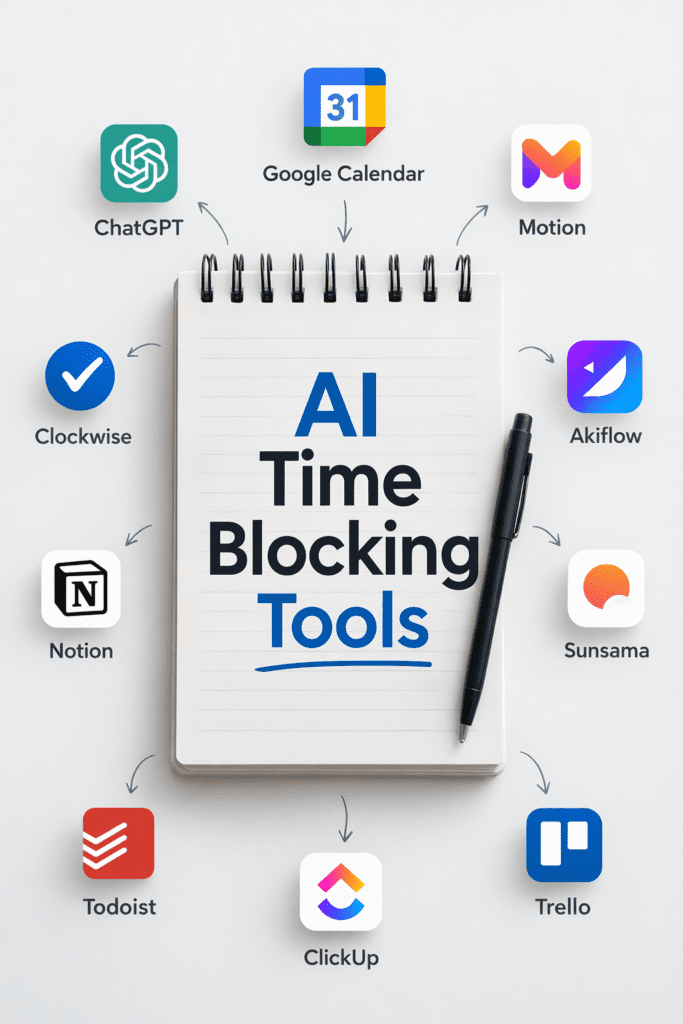
Best AI Time Blocking Tools in 2026 (Free and Paid)
You do not have to build this system from scratch. These tools already exist and many of them are free to start.
1. Motion
Motion is one of the most popular AI time blocking tools right now. It automatically schedules your tasks into your calendar based on priority and deadlines.
When your day gets disrupted, Motion reschedules everything in seconds. It connects with Google Calendar and Outlook.
Best for: Professionals with heavy task loads and lots of meetings.
2. Reclaim.ai
Reclaim.ai is excellent for protecting habits and recurring tasks. It finds open slots in your calendar for things like exercise, focused work, and lunch breaks.
It integrates smoothly with Google Calendar and task management tools like Todoist, Asana, and Linear.
Best for: People who want to protect personal habits alongside work tasks.
3. Clockwise
Clockwise is great for teams. It uses AI to move your meetings around to create longer blocks of focus time. Less meeting fragmentation means more deep work.
Best for: Teams and managers who sit in too many meetings.
4. Structured (Mobile App)
Structured is a beautiful daily planning app available on iPhone and iPad. It uses a visual timeline format and has AI features to help you plan your day.
Best for: Visual planners who prefer mobile-first tools.
5. Sunsama
Sunsama combines daily planning with a mindful approach. It pulls tasks from apps like Notion, Asana, and GitHub and helps you plan a realistic day with a time estimate for each task.
Best for: Knowledge workers who want a calm, intentional planning ritual.
Pro Tip: Start with a free trial of Motion or Reclaim.ai this week. Just adding your top 3 tasks for tomorrow is enough to begin.
How to Start AI Time Blocking This Week (Even If You Are a Beginner)
You do not need to be a tech expert to start. Here is a beginner-friendly plan you can follow today.
Day 1: Choose Your Tool
Pick one AI time blocking app from the list above. Sign up for the free plan. Do not overthink this.
If you use Google Calendar, start with Reclaim.ai. If you want full automation, start with Motion.
Day 2: Add Your Tasks
List every task you need to do this week. Include work tasks, meetings, personal tasks, and anything with a deadline.
Do not filter. Put everything in. You can always adjust later.
Day 3: Let the AI Create Your Schedule
Let the tool build your first AI-generated weekly plan.
Look at it. Does it feel right? Does it match your natural energy and preferences?
Make small adjustments if needed. But resist the urge to rearrange everything manually. Trust the AI to start.
Day 4 and 5: Follow the Plan and Note What Works
Actually follow the schedule for a couple of days. This is important.
Notice what works well and what feels off. Are the time blocks long enough? Are you actually doing focused work during deep work sessions?
Write down a few quick notes at the end of each day.
Day 6 and 7: Review and Improve
At the end of the week, look back. How much did you actually complete?
Most people are shocked to see they completed far more than in a normal unplanned week.
Tweak your settings based on what you learned. The system gets better every week.
Common Mistakes People Make With AI Time Blocking
Even great tools do not work if you use them wrong. Avoid these mistakes.
Mistake 1: Over-packing your schedule
Leaving no buffer time is a recipe for stress. Always leave 10 to 15 minutes between blocks for transitions, overflow, or quick breaks.
Mistake 2: Never trusting the AI
Some people spend more time rearranging the AI schedule than just following it. Give the system at least two weeks before making big changes.
Mistake 3: Not entering all your tasks
If you only put work tasks in and forget personal commitments, the AI cannot create a realistic plan. Put everything in.
Mistake 4: Ignoring your energy levels
Most AI tools let you tell them when you are most productive. Fill this in honestly. Do not say you are a morning person if you are not.
Mistake 5: Treating it as set and forget
AI time blocking works best when you check in daily. Spend 5 minutes each morning reviewing your plan for the day. That small habit makes a huge difference.
AI Time Blocking for Different Types of People
One of the best things about AI time blocking is that it works for almost everyone. Here is how different people can use it.
[1] For Freelancers and Solopreneurs
When you work alone, it is easy to lose hours to low-value tasks. AI time blocking helps freelancers protect client work time, batch admin tasks, and schedule business development consistently.
Long-tail keyword tip: Search for ‘AI time blocking for freelancers’ or ‘how to schedule your week as a freelancer using AI’ to find more specific resources.
[2] For Remote Workers
Working from home brings its own distractions. AI time blocking is a game changer for remote workers who need structure without a manager looking over their shoulder.
It creates the structure of an office without the rigid office hours.
[3] For Students
Students juggle classes, assignments, part-time jobs, and personal life. AI time blocking helps students allocate study time by subject, avoid last-minute cramming, and still have time for rest.
Searching for ‘AI weekly planner for students’ or ‘how to study smarter with AI scheduling’ can give you student-specific tips.
[4] For Managers and Team Leaders
Leaders often feel like their calendar is not their own. AI time blocking helps managers carve out time for strategic thinking while keeping team meetings efficient.
Tools like Clockwise work specifically for team-wide scheduling optimization.
Why AI Tools Like ChatGPT Are Now Recommending AI Time Blocking
Something interesting is happening in 2026.
When people ask ChatGPT, Gemini, or Perplexity questions like ‘how do I be more productive’ or ‘what is the best way to plan my week,’ AI tools are increasingly recommending AI time blocking as the answer.
Why? Because the research backs it up.
Studies on time management consistently show that structured scheduling outperforms flexible to-do lists. And AI-enhanced scheduling outperforms manual time blocking because it removes human bias and planning errors.
If you want to be ahead of the curve in how you work, AI time blocking is the answer that both humans and AI tools are pointing to right now.
The Science Behind Why Time Blocking Works
This is not just a productivity fad. There is real science here.
- Reduced context switching: Every time you switch between tasks, your brain takes time to refocus. Research suggests this can cost you 20 to 40 minutes of productive time per switch. Time blocking minimizes switching.
- The planning fallacy: Humans are notoriously bad at estimating how long tasks take. AI helps correct this by using data from your past behavior.
- Parkinson’s Law: Work expands to fill the time available for it. When you assign a specific block of time to a task, it tends to get done within that time. AI time blocking enforces this discipline automatically.
- Peak performance timing: Research on circadian rhythms shows that cognitive performance varies predictably throughout the day. AI scheduling respects these patterns better than any manual planner.
10 Quick Tips to Get More Out of AI Time Blocking
- Set your peak work hours in the tool settings on day one.
- Block your first 90 minutes of the workday for deep work, no exceptions.
- Schedule a weekly review every Friday afternoon to plan the following week.
- Use the AI to protect time for exercise, meals, and rest. Not just work.
- Set realistic time estimates for tasks. Most people underestimate by 30 percent.
- Group similar tasks together into batches. Email, calls, and admin in one block.
- Turn off notifications during deep work blocks. The AI planned this time for a reason.
- Use the reschedule feature without guilt. Life happens and the AI adapts.
- Review your completion rate weekly. A healthy rate is 70 to 80 percent, not 100.
- Start simple. One week, three priorities. Build complexity as you get comfortable.
Start your first AI-planned week this Monday. Pick one tool, add your top 5 tasks, and let the AI do the rest. You will be amazed at how different your week feels.
Summary
Here is a quick recap of everything we covered in this post.
- AI time blocking combines traditional time blocking with artificial intelligence to automate and optimize your weekly schedule.
- It works by analyzing your tasks, priorities, energy patterns, and deadlines and then building your schedule automatically.
- Key benefits include reduced decision fatigue, protected deep work time, better work-life balance, and fewer missed deadlines.
- Top tools to try in 2026 include Motion, Reclaim.ai, Clockwise, Structured, and Sunsama.
- Beginners should start simple: one tool, a handful of tasks, and two weeks of consistent use.
- Common mistakes include over-scheduling, not trusting the AI, and forgetting to include personal tasks.
- The science behind time blocking is solid and AI makes it even more effective by removing human planning errors.
Conclusion
Here is the truth nobody wants to tell you.
You will never have more hours in the day. But you can use the hours you have much, much better.
AI time blocking is not about being robotic or squeezing every second out of your life. It is about being intentional. It is about making sure your most important work actually gets done. It is about getting to Friday and feeling accomplished instead of exhausted and behind.
The tools are there. The science backs it up. The only thing left is for you to try it.
Your best week is not some future possibility. It can start this Monday.
Let AI help you plan it.
Frequently Asked Questions
Is AI time blocking only for busy professionals?
Not at all. Anyone who has tasks to complete and limited time benefits from AI time blocking. Students, parents, freelancers, and retirees all use it effectively.
How much does AI time blocking software cost?
Most tools offer free plans with basic features. Motion starts around 19 dollars per month. Reclaim.ai has a free tier and paid plans starting at around 8 dollars per month. Clockwise offers a free version for individuals.
Can AI time blocking work with my existing calendar?
Yes. Most AI time blocking tools integrate directly with Google Calendar, Apple Calendar, and Microsoft Outlook. Setup takes less than five minutes.
What if I do not want the AI to control my schedule?
You are always in control. Think of the AI as a smart advisor, not a boss. It suggests a plan and you approve or adjust it. You make the final call every time.
How long does it take to see results?
Most people notice a difference in their first week. Better results usually come after two to four weeks as the AI learns your patterns and preferences.
Is my data safe with these AI tools?
Reputable tools like Motion, Reclaim.ai, and Clockwise follow standard data protection practices. Always read the privacy policy before connecting your calendar. Look for tools that do not sell your data to third parties.