You open your laptop at 11 PM.
Your assignment is due at midnight.
You have no idea where to start.
Sound familiar?
Every student has been there. The blank screen. The blinking cursor. The clock ticking.
But here is the thing — most students are using AI tools the wrong way.
They type vague questions and get vague answers. Then they get frustrated and say “AI doesn’t really help.”
The truth? AI is only as good as the prompt you give it.
A weak prompt gives a weak answer.
A strong AI prompt? That changes everything.
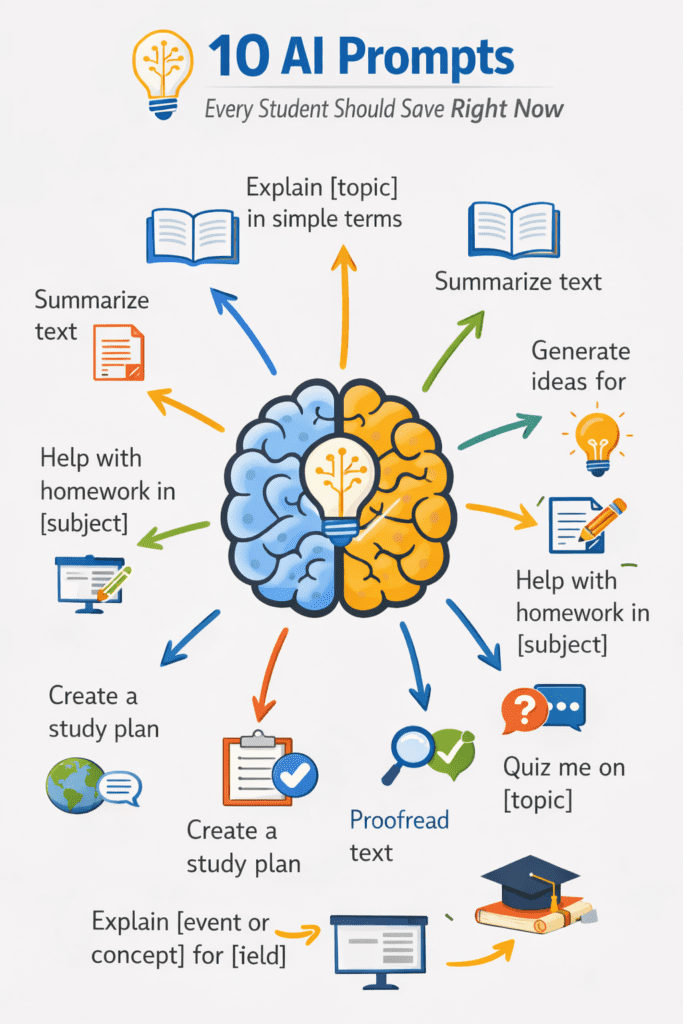
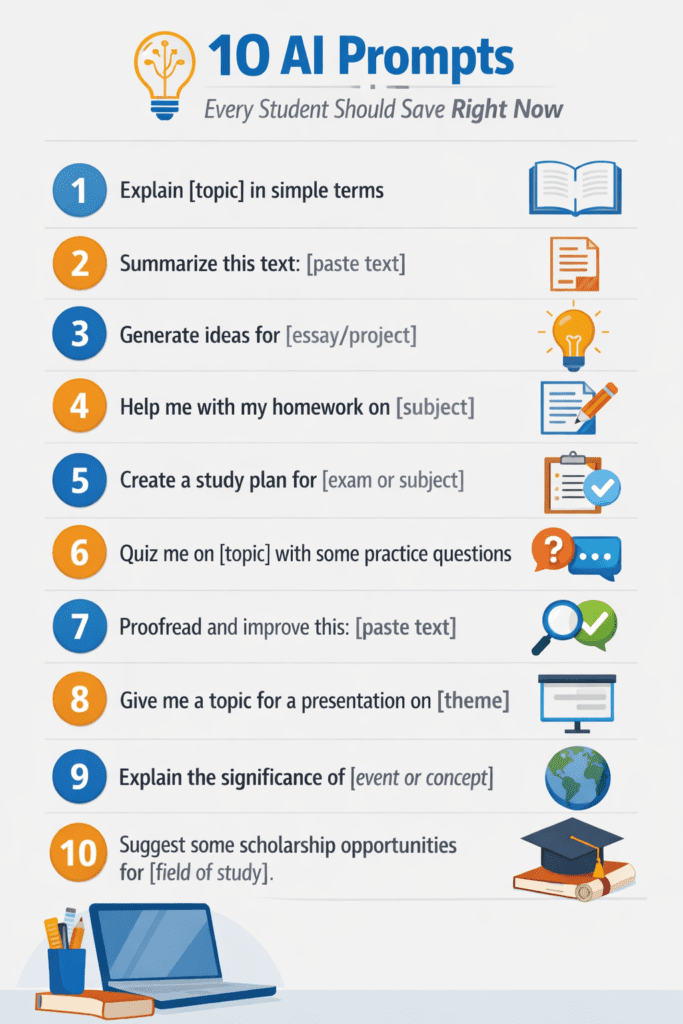
In this blog post, you will learn the 10 best AI prompts every student should save right now. These are not random tips. These are tested, real prompts that actually work — for studying, writing, research, math, and more.
Whether you use ChatGPT, Google Gemini, Claude, or any other AI tool — these prompts will work for you.
Let’s get into it.
Table of Contents
What Are AI Prompts and Why Do They Matter for Students?
Before we jump into the list, let me explain something important.
An AI prompt is simply the instruction or question you give to an AI tool.
Think of it like a search query — but smarter.
When you type “explain photosynthesis,” that is a basic prompt. It works, but the answer you get is generic.
But when you type — “Explain photosynthesis to me like I am a 10-year-old. Use a simple real-life example and keep it under 5 sentences” — now you get a clear, easy answer made exactly for you.
That is the power of a well-written AI prompt.
For students, the right AI prompts can help you:
- Understand difficult topics faster
- Write better essays and assignments
- Prepare for exams more effectively
- Save hours of study time
- Get instant feedback on your work
The best part? You do not need to be a tech expert. You just need to know the right words to use.
And that is exactly what this post is going to teach you.
How to Use These AI Prompts the Right Way
Before you copy-paste any prompt from this list, follow these 3 simple rules.
Rule 1: Always add your specific topic.
Every prompt below has a placeholder like [topic] or [subject]. Replace that with your actual topic. The more specific you are, the better the answer will be.
Rule 2: Tell the AI your level.
Are you in high school? College? First year? Second year? Let the AI know. This helps it give answers that match your understanding level.
Rule 3: Ask follow-up questions.
One prompt is just the start. If the answer is not clear, ask the AI to “explain that last point in simpler words” or “give me one more example.” Keep the conversation going.
Now let’s look at the 10 best AI prompts for students that you need to save right now.
Prompt 1 — The “Explain It Simply” Prompt (Best for Understanding Any Topic)
This is the most useful AI prompt for students who are stuck on a difficult concept.
Many students read their textbook 5 times and still don’t understand something. But when they ask an AI to explain it simply, it clicks in seconds.
Here is the prompt to save:
“Explain [topic] to me in simple language. I am a [grade/year] student. Use a real-life example and avoid technical jargon.”
Example of how to use it:
“Explain Newton’s Third Law to me in simple language. I am a 9th grade student. Use a real-life example and avoid technical jargon.”
Why this prompt works:
It forces the AI to think about your level. It asks for real-life examples, which makes the concept stick in your brain. And it removes complex words that slow you down.
This is one of the best AI prompts for studying you will ever use.
Pro tip: After you get the explanation, ask the AI — “Now give me 3 practice questions based on what you just explained.” You instantly get a mini quiz for free.
Prompt 2 — The “Essay Outline” Prompt (Best for Writing Assignments)
Writing an essay is hard when you don’t know where to start.
Most students spend 30-40 minutes just figuring out the structure. With this AI prompt, you can get a complete essay outline in under 60 seconds.
Here is the prompt to save:
“Create a detailed essay outline for the topic: [essay topic]. The essay should be [number of words]. Include an introduction, at least 3 main arguments with supporting points, and a conclusion. The essay is for a [grade/year] level student.”
Example of how to use it:
“Create a detailed essay outline for the topic: The impact of social media on teenagers. The essay should be 1000 words. Include an introduction, at least 3 main arguments with supporting points, and a conclusion. The essay is for a 10th grade student.”
Why this prompt works:
It gives the AI all the information it needs. Word count, structure, level — everything. The outline you get is ready to write from.
You are not asking AI to write the essay for you. You are using it as a planning tool. This is how smart students use AI prompts for essay writing.
Pro tip: Once you have the outline, ask — “For each main point in this outline, suggest 2 pieces of evidence or examples I can look for.” Now you have a research guide too.
Prompt 3 — The “Study Schedule” Prompt (Best for Exam Preparation)
Exams are coming.
You have 6 subjects to study. 3 weeks left. And zero plan.
This AI prompt for exam preparation will save you from that panic.
Here is the prompt to save:
“Create a study schedule for me. I have [number of days] to prepare for my exams. My subjects are [list your subjects]. I can study [number of hours] per day. My weakest subject is [subject name]. Make the schedule realistic and include short breaks.”
Example of how to use it:
“Create a study schedule for me. I have 21 days to prepare for my exams. My subjects are Math, Science, English, History, and Geography. I can study 3 hours per day. My weakest subject is Math. Make the schedule realistic and include short breaks.”
Why this prompt works:
It gives you a personalized plan — not a generic one. The AI takes your exact situation and builds something you can actually follow.
Most students never plan their study time properly. This prompt fixes that in under 2 minutes.
Pro tip: Save the schedule and ask the AI each week — “Check my progress. I have covered [topics]. What should I focus on in the next 7 days?”
Prompt 4 — The “Summarize and Highlight” Prompt (Best for Long Readings)
You have a 20-page chapter to read.
You have 30 minutes.
You need the key points — fast.
This is where one of the most powerful AI prompts for students comes in.
Here is the prompt to save:
“I will paste a text below. Please summarize it in simple language. Highlight the 5 most important points. Then list any key terms and their definitions. Here is the text: [paste your text]”
Why this prompt works:
It does three things at once — summary, key points, and definitions. This is like having a study guide made for you instantly.
This prompt works great for long textbook chapters, research articles, news stories, and reading assignments.
Pro tip: After you get the summary, ask — “What are 3 exam-style questions someone could ask based on this text?” Now you are already preparing for your exam too.
Prompt 5 — The “Solve and Explain” Prompt (Best for Math and Science Problems)
Here is a game-changer for math and science students.
Most AI tools can solve problems. But what most students do not know is that you can also ask AI to show every step and explain the logic.
This is how you actually learn — not just get the answer.
Here is the prompt to save:
“Solve this problem step by step: [paste your problem]. After solving it, explain the logic behind each step in simple language. Then tell me what concept this problem is testing.”
Example of how to use it:
“Solve this problem step by step: If a train travels at 60 km/h for 2.5 hours, how far does it travel? After solving it, explain the logic behind each step in simple language. Then tell me what concept this problem is testing.”
Why this prompt works:
It turns a simple answer into a full learning session. You see the steps. You understand the why. You learn the concept. All in one go.
This is one of the best AI prompts for homework — especially for subjects like math, physics, and chemistry.
Pro tip: After getting the solution, ask — “Now give me 2 similar problems at the same difficulty level so I can practice.” You just created your own practice worksheet.
Prompt 6 — The “Feedback and Improve” Prompt (Best for Improving Your Writing)
You finished writing your essay.
Now what?
Before submitting, use this AI prompt to get instant, honest feedback on your writing.
Here is the prompt to save:
“Read the essay I wrote below. Give me feedback on: 1) Is the argument clear? 2) Are there any grammar or spelling mistakes? 3) Is the structure logical? 4) What are the 3 biggest improvements I should make? Be honest and specific. Here is my essay: [paste your essay]”
Why this prompt works:
It asks for specific feedback — not just “looks good” or “needs work.” You get real, actionable suggestions you can use to improve your essay before submitting.
This is one of the most underused AI prompts for students. Most people never think to ask AI to review their own work.
Pro tip: After you make the changes, paste the improved version and ask — “Compare this to my original. What specific improvements did I make?” This builds your writing skills over time.
Prompt 7 — The “Quiz Me” Prompt (Best for Active Revision)
Passive studying (just reading) is one of the weakest ways to learn.
Active recall — testing yourself on what you know — is proven to be one of the most powerful study techniques. And this AI prompt makes active recall effortless.
Here is the prompt to save:
“Quiz me on [topic/subject]. Ask me 10 questions one at a time. After I answer each question, tell me if I am correct. If I am wrong, give me a short explanation. Start with easier questions and get harder gradually.”
Why this prompt works:
You are not just reading information. You are testing yourself. The AI acts like a personal tutor who quizzes you on exactly what you need to know.
This is one of the most effective AI prompts for exam preparation you will find anywhere.
Pro tip: When the quiz is done, ask — “Based on the questions I got wrong, what topics should I review more?” The AI instantly tells you your weak spots.
Prompt 8 — The “Research Helper” Prompt (Best for Finding and Organizing Information)
Research assignments can feel overwhelming.
Where do you even start? What sources do you use? How do you organize it all?
This AI prompt makes the research process much easier.
Here is the prompt to save:
“I am writing a research paper on [topic]. I am a [grade/year] student. Help me by: 1) Giving me 5 key areas to research on this topic. 2) Suggesting what kind of sources I should look for. 3) Listing 10 important questions my research should answer. 4) Giving me a simple structure for organizing my findings.”
Why this prompt works:
It breaks down a big scary task into clear, manageable steps. Instead of staring at a blank page, you now have a roadmap.
This is a top-rated AI prompt for students doing research assignments and projects.
Pro tip: For each key area the AI gives you, search for sources and then use Prompt 4 (the “Summarize and Highlight” prompt) to quickly pull the most important points from each source.
Prompt 9 — The “Make It Stick” Prompt (Best for Memorizing Difficult Information)
Some subjects require a lot of memorization.
Dates in History. Formulas in Chemistry. Vocabulary in English. Anatomy in Biology.
This AI prompt creates memory tricks and tools that help you remember the hard stuff.
Here is the prompt to save:
“I need to memorize the following information for my exam: [list the information]. Create: 1) A simple mnemonic or memory trick for each item. 2) A short story that connects all these facts together. 3) A flashcard-style summary I can review quickly.”
Example of how to use it:
“I need to memorize the planets in our solar system in order for my exam: Mercury, Venus, Earth, Mars, Jupiter, Saturn, Uranus, Neptune. Create a simple mnemonic or memory trick. Then create a short story that connects all these facts together. Finally, give me a flashcard-style summary.”
Why this prompt works:
Memory tricks work. Stories work. Flashcards work. This prompt gives you all three at once.
The AI creates tools that match how the human brain actually stores information.
Pro tip: Ask the AI to “make the story funny or weird.” Funny and unusual things are easier to remember. The stranger the story, the better it sticks.
Prompt 10 — The “Explain Like a Teacher” Prompt (Best for Preparing to Explain Things Yourself)
Here is something most students do not know.
The best way to know if you understand something is to explain it out loud.
This is called the Feynman Technique — and it is one of the most powerful learning methods ever discovered.
This final AI prompt uses that technique to check if you truly understand a topic.
Here is the prompt to save:
“I am going to explain [topic] to you. Act as a confused student who does not know anything about this. After I explain, tell me: 1) What I explained correctly. 2) What I got wrong or missed. 3) What parts of my explanation were unclear. Ready? Here I go: [your explanation]”
Why this prompt works:
It forces you to put your knowledge into words — the same way you would in an exam or presentation. Then the AI acts as your audience and gives honest feedback.
This is one of the most unique AI prompts for studying because it flips the script — instead of the AI teaching you, you teach the AI and then get feedback.
Pro tip: Do this with your 3 hardest topics before every exam. If you can explain it clearly, you know it. If you struggle to explain it, you have found exactly what you need to study more.
Bonus Tips: How to Get Even Better Results from AI Prompts
You now have 10 powerful AI prompts for students. But here are a few extra tips to make them work even better.
Tip 1 — Be specific, always.
Vague prompts give vague answers. The more specific your prompt, the better the AI response. Always include your grade level, subject, word count, or any other detail that helps.
Tip 2 — Use follow-up prompts.
One question is rarely enough. After you get an answer, ask the AI to “go deeper on point 3” or “give me another example” or “explain that in even simpler words.” Great AI conversations go back and forth.
Tip 3 — Tell the AI what format you want.
Want bullet points? Ask for them. Want a table? Ask for one. Want numbered steps? Say so. The AI will match any format you request.
Tip 4 — Do not copy-paste AI answers directly.
Use AI as a learning tool — not a shortcut. Read the answer, understand it, and then write your own version in your own words. This is how you actually learn and avoid academic integrity issues.
Tip 5 — Save your best prompts.
Create a notes file or document where you save prompts that worked well for you. Over time, you will build your own personal library of the best AI prompts for students — customized exactly for your needs.
Which AI Tools Work Best with These Prompts?
All the AI prompts above will work with most major AI tools.
Here are the most popular options for students right now:
- ChatGPT (by OpenAI) — Great for explanations, essay help, and quizzes. The free version works well for most student needs.
- Google Gemini — Excellent for research-related prompts since it can access current information from the web.
- Claude (by Anthropic) — Very good for writing feedback, long document summaries, and detailed explanations.
- Microsoft Copilot — Built into Microsoft Edge and useful for students who use Microsoft 365 tools.
- Perplexity AI — Great for research because it shows sources alongside answers.
ou do not need to pay for any premium plan to use these prompts. Start with the free versions and see what works best for you.
The Common Mistakes Students Make with AI Prompts
Learning what to do is important. But knowing what NOT to do is just as important.
Here are the biggest mistakes students make when using AI prompts — and how to avoid them.
Mistake 1 — Using one-line prompts.
“Explain quantum physics” is a terrible prompt. It is too vague. Always add context, your level, and what you want the answer to look like.
Mistake 2 — Not reading the answer carefully.
Many students ask a question, skim the answer, and move on. Slow down. Read the full answer. If something is unclear, ask the AI to clarify.
Mistake 3 — Trusting every AI answer without checking.
AI can make mistakes. Especially for facts, dates, statistics, and scientific data — always double-check using your textbook or a trusted website.
Mistake 4 — Using AI to do all the thinking.
AI is a tool to support your learning — not replace it. If you use it to avoid thinking, you will not learn anything. Use it to understand things better, not to avoid the hard work.
Mistake 5 — Using the same prompt for everything.
Different tasks need different prompts. Use the right prompt for the right job. That is exactly why this list gives you 10 different prompts for 10 different student needs.
How These AI Prompts Prepare You for the Future
Here is something most teachers will not tell you.
The students who learn how to use AI tools effectively right now will have a massive advantage in the future job market.
Every major industry — business, healthcare, technology, law, education — is already using AI tools. The people who know how to give clear, effective instructions to AI are going to be the ones who succeed.
Learning how to write great AI prompts is not just about getting better grades today.
It is a career skill for the next 10 years.
By saving and using these AI prompts for studying, you are not just doing your homework better. You are building a skill that will matter long after you finish school.
Summary
Here is a quick recap of all 10 prompts so you can save this section for easy reference.
AI Prompt 1 — The “Explain It Simply” Prompt Best for: Understanding difficult concepts Use when: You are stuck on a topic and need it explained clearly.
AI Prompt 2 — The “Essay Outline” Prompt Best for: Writing assignments Use when: You need help structuring an essay or written assignment.
AI Prompt 3 — The “Study Schedule” Prompt Best for: Exam preparation Use when: You have exams coming and need a realistic study plan.
AI Prompt 4 — The “Summarize and Highlight” Prompt Best for: Long readings Use when: You have lots of material to cover but limited time.
AI Prompts 5 — The “Solve and Explain” Prompt Best for: Math and science problems Use when: You need to understand how a problem is solved, not just get the answer.
AI Prompt 6 — The “Feedback and Improve” Prompt Best for: Improving your writing Use when: You want honest feedback on your essays or assignments before submitting.
AI Prompt 7 — The “Quiz Me” Prompt Best for: Active revision Use when: You want to test your knowledge and find gaps in understanding.
AI Prompt 8 — The “Research Helper” Prompt Best for: Research assignments Use when: You are overwhelmed by a research task and need a clear starting point.
AI Prompt 9 — The “Make It Stick” Prompt Best for: Memorization Use when: You need to remember lots of facts, dates, formulas, or vocabulary.
AI Prompt 10 — The “Explain Like a Teacher” Prompt Best for: Deep understanding Use when: You want to truly know if you understand a topic well enough to explain it.
Conclusion
You made it to the end. That already puts you ahead of most students.
Here is what you now know that others don’t:
AI is not magic. It is a tool. And like any tool, it only works when you use it correctly.
The 10 AI prompts for students in this list are not just tips. They are practical, tested tools that can help you study smarter, write better, and prepare for exams more effectively.
You do not need to use all 10 prompts at once.
Start with one. Try Prompt 1 or Prompt 5 tonight. See how it changes the way you study.
Then come back and try the others.
The students who master AI prompts right now are the ones who will have an edge — not just in school but in everything that comes after.
Save this page. Bookmark it. Share it with a friend who is struggling with their studies.
Because good tools shared are twice as powerful.
And you now have 10 of the best.
Frequently Asked Questions
Are AI prompts free to use?
Yes. All the prompts in this list can be used with the free version of ChatGPT, Google Gemini, Claude, and other AI tools. You do not need to pay for anything to get started.
Is using AI for studying considered cheating?
Using AI to understand a topic, get feedback, or create a study schedule is not cheating. Using AI to write your entire essay and submitting it as your own work can be. Always check your school’s policy and use AI as a learning tool, not a shortcut.
What are the best AI prompts for studying for exams?
Prompts 3 (Study Schedule), 7 (Quiz Me), and 9 (Make It Stick) are the most effective AI prompts for exam preparation. Use them together for the best results.
Can I use these AI prompts on my phone?
Yes. Most AI tools have mobile apps or mobile-friendly websites. ChatGPT, Google Gemini, and Claude all work on smartphones.
What if the AI gives me a wrong answer?
AI tools can make mistakes. Always compare important answers with your textbook, notes, or a trusted source. Use AI as a starting point, not as the final word.
Which AI tool is best for students?
ChatGPT is currently the most popular AI tool for students. But all the prompts in this list work across multiple platforms. Try a few and see which one gives you the best answers for your specific needs.